Introduction
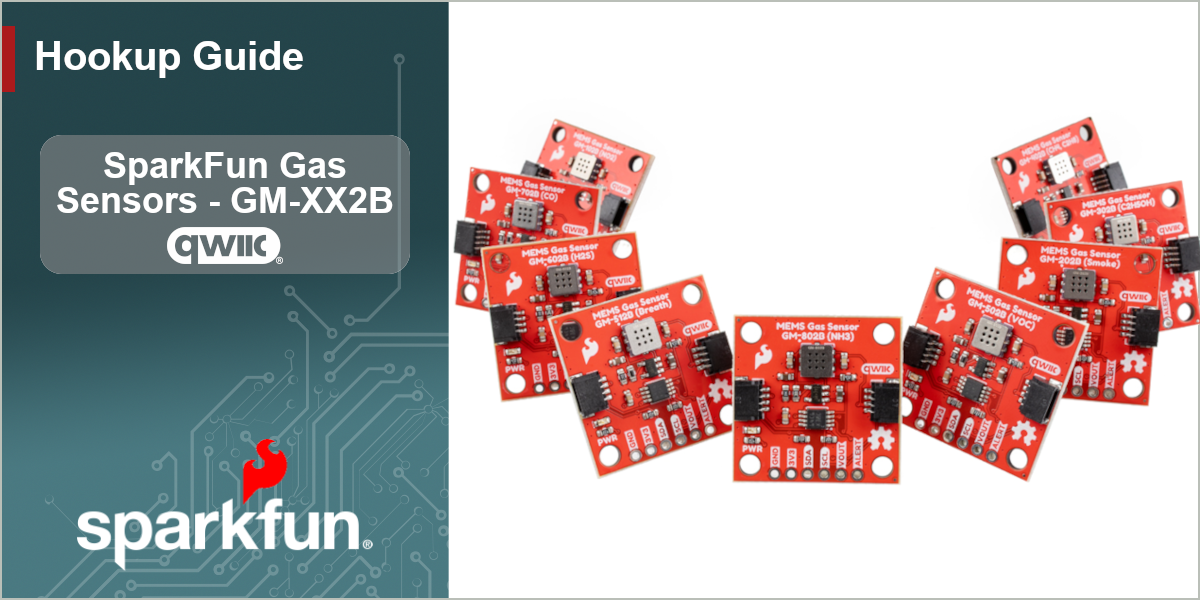
The SparkFun Gas Sensors - GM-XX2B (Qwiic) are a selection MEMS gas sensors useful for detecting concentrations of a wide variety of gases in indoor environments. The GM-XX2B are metal-oxide semiconductor sensors that react to their specified gas with an analog output that rises (or in the case of the GM-102B falls) with gas concentration. These gas sensor breakouts feed that analog signal into an onboard 10-bit I2C ADC to read gas levels over a Qwiic connection. The gas sensor breakouts covered in this guide are:
- Nitrogen Dioxide Gas Sensor - GM-102B
- Ethanol & Smoke Gas Sensor - GM-202B
- Alcohol/Ethanol Gas Sensor - GM-302B
- Combustible Gas Sensor - GM-402B
- VOC Gas Sensor - GM-502B
- Bad Breath Gas Sensor - GM-512B
- Hydrogen Sulfide Gas Sensor - GM-602B
- Carbon Monoxide Gas Sensor - GM-702B
- Ammonia Gas Sensor - GM-802B
In order to follow along with this tutorial, you'll need at least one of the GM-XX2B Gas Sensors along with the following items:
- SparkFun IoT RedBoard - ESP32-P4 & ESP32-C5 (WiFi/BLE) (or other Qwiic compatible development board)
- Qwiic Cable
- USB-C Cable
Topics Covered
This document contains three main sections: Quick Start Guide, Hardware and Software.
The Quick Start Guide goes over assembling the Gas Sensor in a Qwiic circuit with a compatible Arduino development board and jumps right into installing and uploading an example from the SparkFun GM-XX2B Arduino Library to get data from the sensors in just a few minutes.
The Hardware pages include a hardware overview that provides a detailed overview of the . The Hardware Assembly page goes over the steps required to assemble and use the board to detect gas concentrations with a compatible Arduino development board.
The Software pages give instructions on how to install the SparkFun GM-XX2B Arduino Library and use some of the examples included in it.
Resources and Documentation
The Resources page has the board design files (KiCad files & schematic), relevant documentation (datasheets, white papers, etc.) and other helpful links. The Support page has a troubleshooting section that includes any helpful tips specific to this board as well as information on how to receive technical support from SparkFun.