Hardware Assembly
Qwiic Assembly
With the Qwiic Ecosystem all you'll need to do to assemble the Qwiic OLED - 1.5" is connect the Qwiic OLED Display to the RedBoard IoT - ESP32 using a Qwiic cable. Next, connect the RedBoard IoT - ESP32 to your computer with a USB-C cable:

Soldered Assembly
New to soldering?
If you have never soldered before or need a quick refresher, check out our How to Solder: Through-Hole Soldering guide.
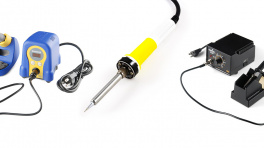
Users who prefer a soldered connection or want to communicate with the display over SPI will need to carefully solder to the 0.1" PTH header on the side of the board. The glass of the display overhangs these pins slightly so you'll need to take great care when soldering to avoid damaging the display. The OLED is adhered to the board with a double-sided adhesive so we recommend using a precision crafting knife (think X-ACTO or similar knives) to carefully separate the OLED from the board prior to soldering.