Introduction
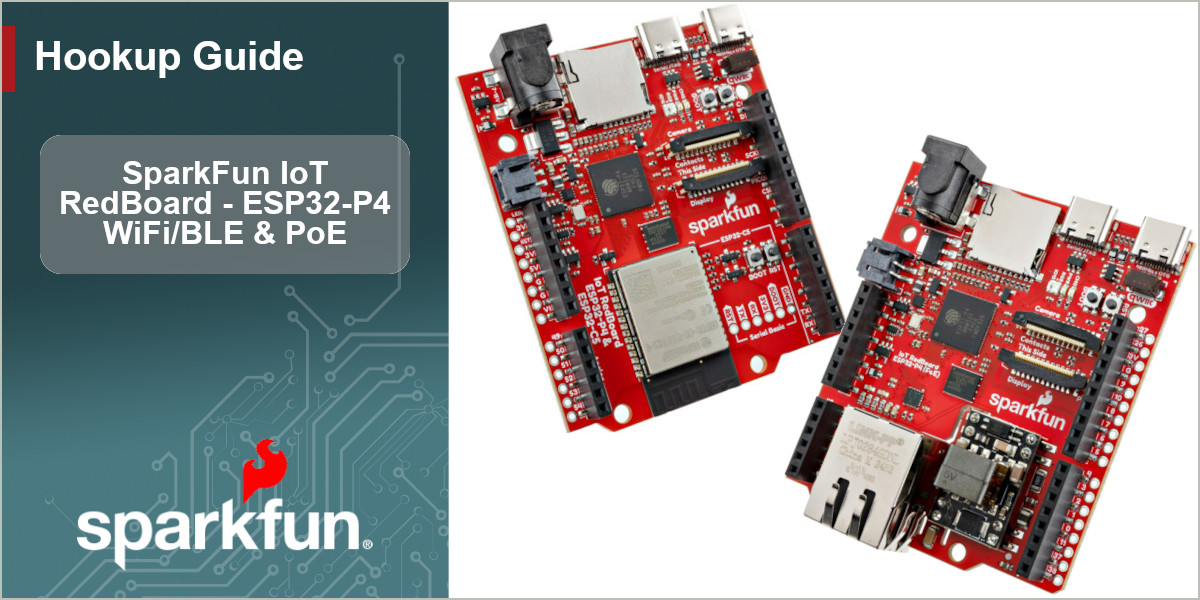
The SparkFun IoT RedBoard - ESP32-P4 & ESP32-C5 (WiFi/BLE) and SparkFun RedBoard - ESP32-P4 (PoE) are two versions of a high-performance development board built around the ESP32-P4 module from espressif. This RedBoard design focuses on creating a highly customizable internet-connected development platform perfect for demanding computing applications including physical human-machine interfacing with camera and touch displays, high-speed peripherals with strong, reliable security features.
The main processor on this IoT RedBoard, the ESP32-P4 is a high-performance dual-core RISC-V CPU that includes a host of impressive features including AI instruction extensions, advanced memory subsystem and high-speed peripherals. The ESP32-P4's dual RISC-V cores run at speeds up to 400M Hz for high performance applications but also has an integrated low-power core that runs up to 40 MHz for ultra-low power applications. The P4 boasts a wide range of peripheral options including I2C, SPI, I2S, LED PWM, TWAI™ as well as full and high-speed USB and high-speed SDIO capability.
The WiFi/BLE version of this IoT RedBoard uses an ESP32-C5 WROOM module for wireless communication over dual-band 2.4 and 5 GHz WiFi, Bluetooth™ 5 (LE), Zibee and Thread networks. The PoE version of this IoT RedBoard comes with a MagJack connector, 10/100Mbps Ethernet transceiver and a 5V/1.8V buck regulator to both connect to wired networks and power the board over Ethernet.
In order to follow along with this guide you'll just need either version of the IoT RedBoard - ESP32-P4, a USB-C cable and, if you're using the PoE version, an Ethernet cable and network hub/jack.
Topics Covered
This document contains three main sections: Quick Start Guide, Hardware and Software.
The Quick Start Guide goes over connecting the IoT RedBoard to a computer and network and then covers using a simple Python example that connects to the internet and polls data to see which astronauts are currently in space.
The Hardware pages include a hardware overview that provides a detailed overview of the both versions of the IoT RedBoard - ESP32-P4 and all major components on the board. The Hardware Assembly page goes over the steps required to connect it to a computer and network.
The Software pages give go over the MicroPython firmware and how to update it as well as a quick Python example to connect to the internet.
Resources and Documentation
The Resources page has the board design files (KiCad files & schematic), relevant documentation (datasheets, white papers, etc.) and other helpful links. The Support page has a troubleshooting section that includes any helpful tips specific to this board as well as information on how to receive technical support from SparkFun.