Introduction
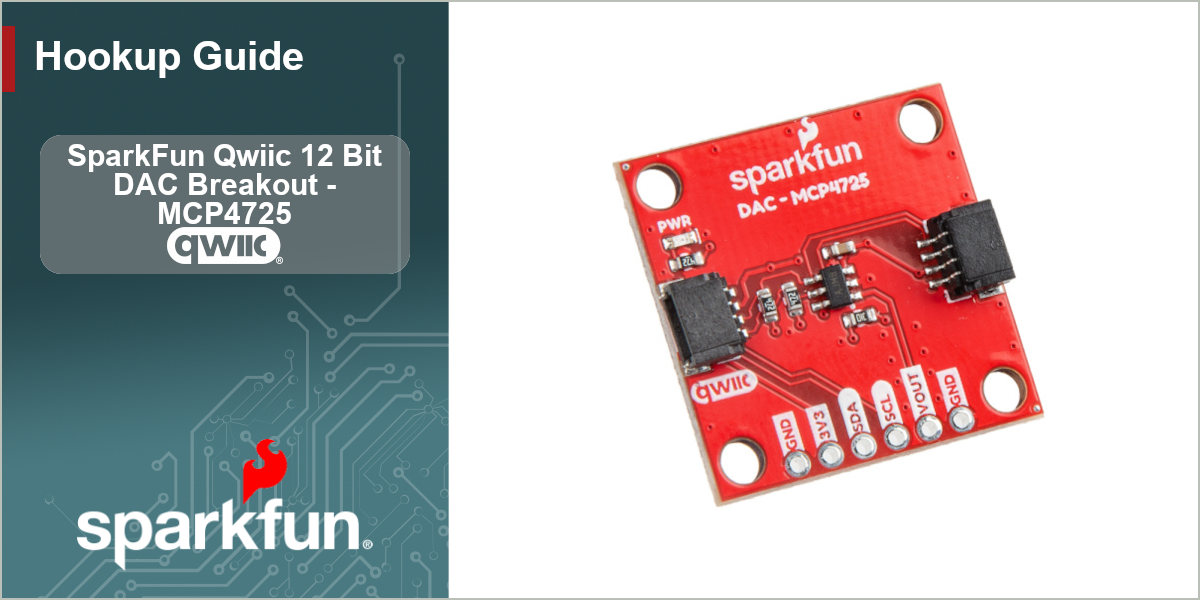
The SparkFun Qwiic 12 Bit DAC Breakout - MCP4725 lets you create precise voltage signals when connected to a microcontroller over I2C via a Qwiic connection. Most microcontrollers only simulate an analog voltage using pulse width modulation (PWM) so when projects require a smooth and precise analog signal (sound generation, controlling analog actuators, etc.) this breakout can be a great solution. The MCP4275 has a 12-bit resolution along its output voltage range (2.7V to 5.5V) to offer 4,096 precise steps of voltage control. Follow along with this guide to get started with this DAC breakout.
Required Materials
In order to follow along with this guide you'll need the SparkFun DAC Breakout as well as the following items:
- SparkFun RedBoard IoT - RP2350 (or other MicroPython/Arduino development board)
- Qwiic Cable
- USB-C Cable
You'll also need a device you want to send the analog signals to. To keep things simple, the demo circuit in this guide connect the DAC Breakout's output voltage to an LED to give a quick and visual example of the analog signal.
Topics Covered
This guide contains three main sections: Quick Start Guide, Hardware and Software.
The Quick start Guide goes over how to connect the DAC Breakout - MCP4725 to a RedBoard IoT - ESP32 (MicroPython) to drive an LED connected to the breakout's output voltage using the SparkFun MCP4275 Python package.
The Hardware section includes the Hardware Overview and provides a detailed overview of the SparkFun Qwiic 12 Bit DAC Breakout - MCP4725 . The Hardware Assembly page covers how to connect the SparkFun Qwiic 12 Bit DAC Breakout - MCP4725 to a compatible development board and notes connecting the output voltage to .
The Software section covers how to setup the SparkFun MCP4275 Python package and Arduino Library along with sections covering some of the examples included in these code packages.
Resources and Support Documentation
You'll find the board design files (KiCad files & schematic), relevant documentation (datasheets, white papers, etc.) and other helpful links in the Resources. Lastly, the Support section includes a Troubleshooting page that includes any helpful tips specific to this board as well as information on how to receive technical support from SparkFun.