Configuration Settings
Command Mode
Similar to the previous versions of the BlueSMiRF, all communication with the device is retransmitted between its Bluetooth serial link and UART interface. To configure the device, you must send a command key within the first 60 seconds after power-on or reset. This will trigger the device to pause the datastream and enter command mode, where the device settings can be configured using a set of AT-commands.
Command Key
- UART Interface:
$$$ - Bluetooth Serial Link:
+++(remote access)
Tip
The settings of the command key can be reconfigured with the following commands:
AT-BluetoothEscapeCharacterAT-EscapeCharacterAT-EscapeCharacterCountAT-MaxCommandTimeMs- By default, the command key can only be sent during the first 60 seconds after powering or resetting the device.
Once the BlueSMiRF v2 recognizes the command key, it responds with OK; and the CONNECT and STATUS LEDs will blink together. AT-commands must be sent one at a time, each ending with a carriage return (Enter). The device will echo the AT-command and return OK on success, or ERROR if the input is invalid.
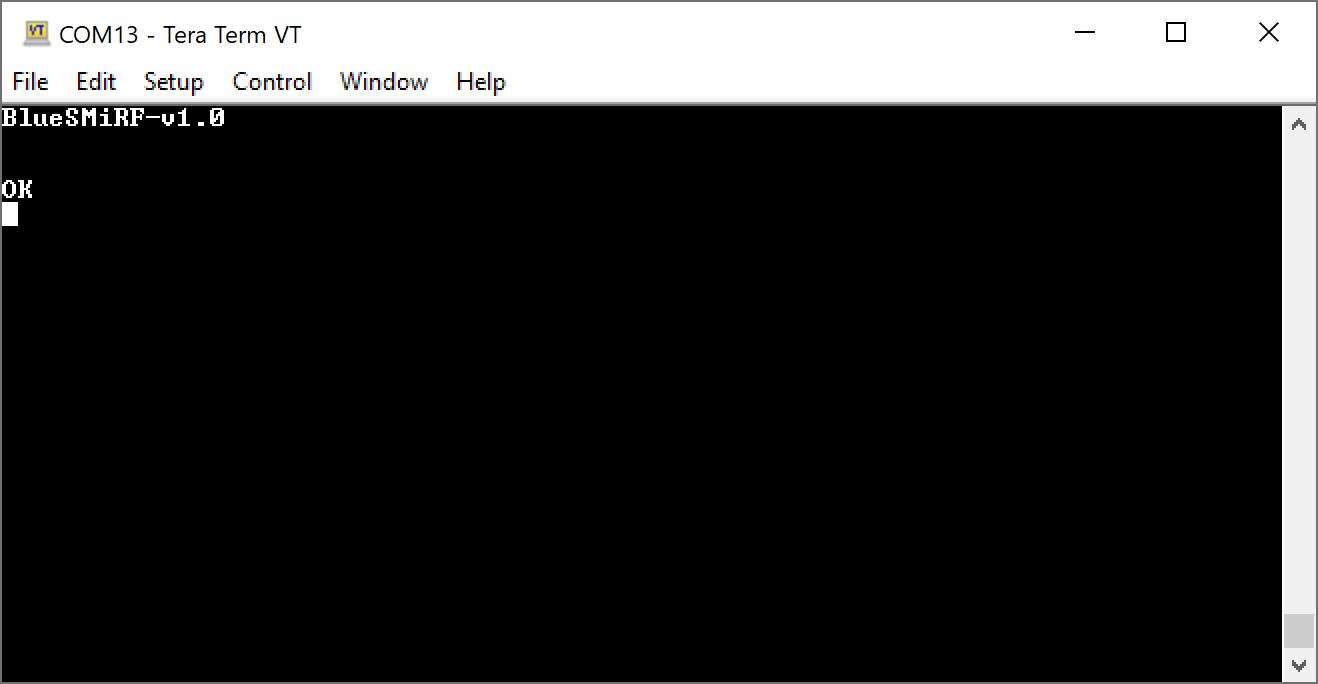
Response acknowledging user is in command mode.
Note
Depending on your serial terminal's settings, you may not see the characters that are being sent. You can try turning on the local echo to view the characters. However, keep in mind that any characters sent when the BlueSMiRF v2 is in command mode will already be echoed back.
AT-Commands
Below is a full list of the available AT-commands. The AT-commands and parameter names are not case sensitive, but parameter values are. This distinction is important when configuring the device settings, such as the WiFi SSID and password.
| AT Command | Command Description |
|---|---|
$$$ |
Enter Command Mode - Hardware connection |
+++ |
Enter Command Mode - Bluetooth connection |
AT |
Reports OK |
AT? |
Display this help text |
ATA |
Display all settings |
ATB |
Display Bluetooth settings |
ATC |
Check for new firmware |
ATD |
Display the debug settings |
ATF |
Restore factory settings |
ATM |
Display MAC address |
ATP |
Start pairing process |
ATS |
Display serial settings |
ATU |
Update Firmware |
ATV |
Display firmware version |
ATW |
Save current settings to NVM |
ATX |
Exit command mode |
ATY |
Display system settings |
ATZ |
Reboot the system |
AT-<Param>=<value> |
Set parameter's value to xxx by name (Param) |
AT-<Param> |
Print parameter's current value by name (Param) |
Parameters
The parameters <Param> are used to query and configure specific device settings. Sending the AT-<Param> AT-command without a value, will querry the device setting and respond with the current value followed by an OK. Meanwhile, a parameter's value is configured by sending AT-<Param>=<value> AT-command. Use the ATW AT-command to store the new value in NVM (non-volatile memory).
Example
The first command sets the Bluetooth broadcast name, the second reads it back, ATW saves the changed settings to non-volatile memory (NVM), and ATX exits command mode.
These parameters are best discussed in groups:
Bluetooth Parameters
Below is a table of AT-commands used to query or configure the Bluetooth parameters, a short description of the commands, and its factory default value (if applicable). Right after the table, there is also a list which provides a detailed explanation of each parameters' effect on the device settings.
| AT Command | Command Description | Factory Default Value |
|---|---|---|
AT-BluetoothConnectRetries |
Number of retries of a paired connection | 5 |
AT-BluetoothConnectTimeoutMs |
Milliseconds before a paired connection attempt times out | 3000 |
AT-BluetoothEscapeCharacter |
The character received from the remote system, sought to enter command mode | + |
AT-BluetoothNickname |
User configurable name to broadcast over Bluetooth during discovery | BlueSMiRF-ABCD, where ABCD is the last four digits of the MAC address |
AT-BluetoothPairedMac |
MAC address of the unit that the user wants to connect to at startup | |
AT-BluetoothPairedName |
Name of the unit that the user wants to connect to at startup | |
AT-BluetoothPin |
Pin to enter during pairing - only required for older Bluetooth devices | 1234 |
AT-BluetoothRxSize |
Bluetooth receive buffer size | 2048 |
AT-BluetoothTxSize |
Bluetooth write buffer size | 1024 |
AT-BluetoothType |
Bluetooth protocol used for communication | 0 |
-
- BluetoothConnectRetries
- If this device has a paired MAC or name, at power up it will attempt to connect to this paired device. A connection is not guaranteed, and the connection will be re-tried this number of times before going into passive, discoverable mode.
-
- BluetoothConnectTimeoutMs
- When this device is connecting to a paired device, if this number of milliseconds expires before a connection is made, the device will attempt to reconnect to the paired device.
-
- BluetoothEscapeCharacter
- This is the character that must be transmitted by a remote device to enter command mode remotely over the Bluetooth connection.
Note
Escape characters are ignored after
MaxCommandTimeMsnumber of milliseconds and withinMinEscapeTimeMsof other incoming characters. -
- BluetoothNickname
- The name that is broadcast when other devices are scanning for devices to pair to.
-
- BluetoothPairedMac
- The MAC address of the BlueSMiRF that this device should pair to at power-on. Use the
ATMcommand on the remote device to display its MAC address. This command is not normally used; use the button pairing method for an easier way to pair two devices.
-
- BluetoothPairedName
- The name of the BlueSMiRF that this device should pair to at power-on. Use the
BluetoothNicknamecommand on the remote device to change its paired name. This command is not normally used; use the button pairing method for an easier way to pair two devices.
-
- BluetoothPin
- The pin that is needed during pairing. Only needed on very old Bluetooth USB dongles.
-
- BluetoothRxSize
- The size of the Bluetooth receive buffer. Increase if a large amount of data is coming into the BlueSMiRF over Bluetooth, before the speed of the serial interface can output it.
-
- BluetoothTxSize
- The size of the Bluetooth transmit buffer. Increase if a large amount of data needs to be transmitted over Bluetooth but the connection between devices is poor and multiple retransmissions occur.
-
- BluetoothType
- Controls the Bluetooth protocol. This parameter accepts a
0,1, and2for the Bluetooth Protocol as listed below. Note that only the SPP protocol supports pairing.
- Protocol
0= Serial Port Profile (SPP) - Protocol
1= Bluetooth Low-Energy (BLE) - Protocol
2= Radio off
Serial Parameters
Below is a table of AT-commands used to query or configure the serial parameters, a short description of the commands, and its factory default value (if applicable). Right after the table, there is also a list which provides a detailed explanation of each parameters' effect on the device settings.
| AT Command | Command Description | Factory Default Value |
|---|---|---|
AT-FlowControl |
Enable the use of CTS/RTS flow control signals | 0 |
AT-InvertCts |
Invert the input of CTS | 0 |
AT-InvertRts |
Invert the output of RTS | 0 |
AT-PartialFrameTimeoutMs |
Send partial buffer if time expires | 50 |
AT-RtsStartSendingPercent |
Percent of serialReceiveBuffer that is free when RTS is asserted | 25 |
AT-RtsStopSendingPercent |
Percent of serialReceiveBuffer that is free when RTS is deasserted | 5 |
AT-SerialReceiveBufferSize |
Serial receive buffer size | 51200 |
AT-SerialSpeed |
The baud rate that the BlueSMiRF operates at. | 115200 |
AT-SerialTransmitBufferSize |
Buffer size to receive bytes from Bluetooth | 10240 |
-
- FlowControl
- If flow control is enabled, the BlueSMiRF v2 will send data when its CTS pin is driven low (the host system is telling the radio to transmit). If flow control is enabled, BlueSMiRF v2 will drive its RTS low if its serial buffer is full (the radio is telling the host system to hold its horses). By default, flow control is turned off.
-
- InvertCts
- By default, InvertCts is false and CTS is high when data is allowed to flow. Enable InvertCts to do the opposite.
-
- InvertRts
- By default, InvertRts is false and RTS is high when data is allowed to flow. Enable InvertRts to do the opposite.
-
- PartialFrameTimeoutMs
- The number of milliseconds of timeout before a partial packet is sent. For example, if a partial frame of 12 bytes is received, the radio will wait this amount for more bytes before initiating a transmission.
-
- RtsStartSendingPercent
- Percent of serialReceiveBuffer that is free when RTS is asserted. Default of 25% of serialReceiveBuffer.
-
- RtsStopSendingPercent
- Percent of serialReceiveBuffer that is free when RTS is deasserted. Default of 5% of serialReceiveBuffer.
-
- SerialReceiveBufferSize
- Buffer size to receive serial data from the serial port, to be sent over Bluetooth. The default is 51200.
-
- SerialSpeed
- The baud rate that the BlueSMiRF operates at. Discrete values 2400, 4800, 9600, 14400, 19200, 38400, 57600, 115200 (default), 230400, 460800, and 921600bps are allowed.
-
- SerialTransmitBufferSize
- Buffer size to receive bytes from Bluetooth, waiting to be printed out the UART. The default is 10240.
System Parameters
Below is a table of AT-commands used to query or configure the system parameters, a short description of the commands, and its factory default value (if applicable). Right after the table, there is also a list which provides a detailed explanation of each parameters' effect on the device settings.
| AT Command | Command Description | Factory Default Value |
|---|---|---|
AT-EscapeCharacter |
The character sought to enter command mode | $ |
AT-EscapeCharacterCount |
The number of escape characters required to enter command mode | 3 |
AT-LedStyle |
Controls the behavior of the Status and Connect LEDs | 0 |
AT-MaxCommandTimeMs |
After this time in milliseconds, command mode cannot be entered | 60000 |
AT-MinEscapeTimeMs |
Serial traffic must stop this amount of milliseconds before an escape character is recognized | 2000 |
AT-PSRAMThreshold |
Use PSRAM for memory requests larger than this number of bytes | 1000 |
AT-WiFiPassword |
Password for the SSID, used for over-the-air-updates | |
AT-WiFiSSID |
SSID used for over-the-air-updates |
Warning
The ESP32 Pico-Mini is only compatible with 2.4GHz WiFi networks; it will not work on the 5GHz bands.
-
- EscapeCharacter
- The character that must be entered a number of times (
EscapeCharacterCount) to enter configuration mode. An escape character must be entered before the max time ofMaxCommandTimeMsand afterMinEscapeTimeMs.
-
- EscapeCharacterCount
- The number of escape characters needed before command mode is entered. Set to 0 to disable.
-
- LedStyle
- Modes of how the LEDs behave:
-
0- CLASSIC (default): The STATUS LED blinks with TX/RX traffic.
-
1- SERIAL_TRAFFIC: The CONNECT LED blinks with TX traffic and the STATUS LED blinks with RX traffic.
-
2- OFF: The CONNECT and STATUS LEDs are turned off.
-
- MaxCommandTimeMs
- Once this number of milliseconds has passed, command mode cannot be entered. This is used as a method to prevent a remote system from accidentally entering command mode.
-
- MinEscapeTimeMs
- This number of milliseconds must pass between the last serial character received and an escape character. This is used as a method to prevent a remote system from accidentally entering command mode.
-
- AT-PSRAMThreshold
- The memory threshold, before PSRAM is enabled
-
- WiFiPassword
- The password for the local WiFi; used for firmware updates.
-
- WiFiSSID
- The SSID for the local WiFi; used for firmware updates.
-
The ESP32 Pico-Mini is only compatible with 2.4GHz WiFi networks; it will not work on the 5GHz bands