Analog Pin Sensor
This menu item is used to enable the GPIO Analog Pin Device within the DataLoggerIoT. When enabled, an Analog Pin Reading device driver is added to the dataloggers Device Settings list.
Enabling the Analog Pin Sensor
Once the analog device is connected to a supported gpio analog pin on the datalogger, the Analog Pin device is enabled using the Analog Pin Sensor menu item located under the GPIO Devices header. This is enabled using the following menu item:

Once enabled, a Analog Pin Reading device is added to the DataLogger IoT.
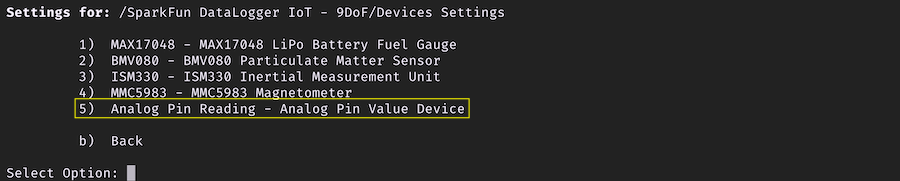
Analog Pin Reading Device
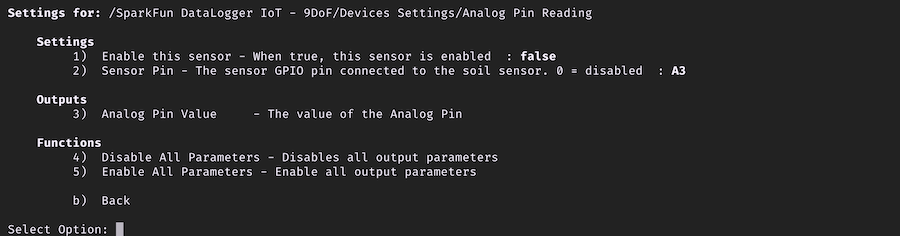
The Analog Pin Reading device has the following menu:
Settings
Enable this sensor
Used to enable the device
Sensor Pin
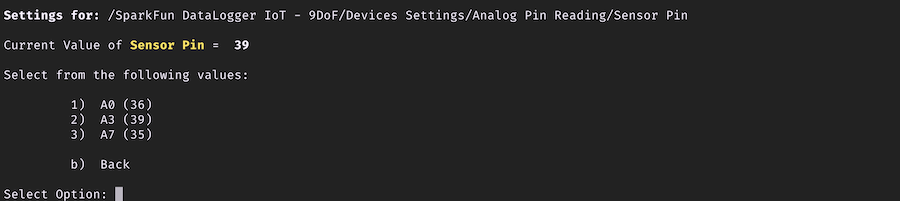
The datalogger GPIO pin to read the analog value from. This is the pin the external analog device is connected to.
Value values for this are:
- A0
- A3
- A7