Soil Mosture Sensor
The DataLoggerIoT can support reading values from a GPIO connected, resistive Soil Moisture sensor, like the SparkFun Soil Moisture Sensor. When connected to the datalogger, and enabled, the DataLoggerIoT will read the analog moisture value from the sensor and add that to the output log stream.
Enabling the Soil Moisture Sensor
Once the sensor is attached to the DataLoggerIoT via GPIO pins, the Soil Moisture Sensor device is enabled using the 'Soil Moisture Sensor' menu item located under the GPIO Devices header. This is enabled using the following menu item:

Once enabled, a Soil Moisture Device is added to the DataLoggerIoT.
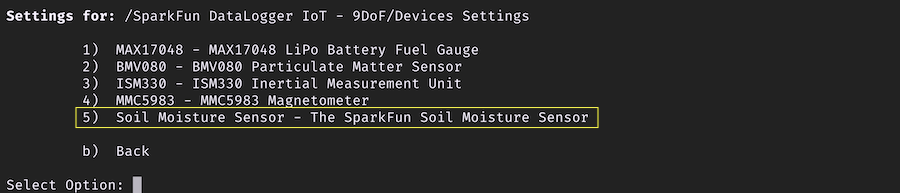
Soil Moisture Device
The Soil Moisture Devide has the following menu:
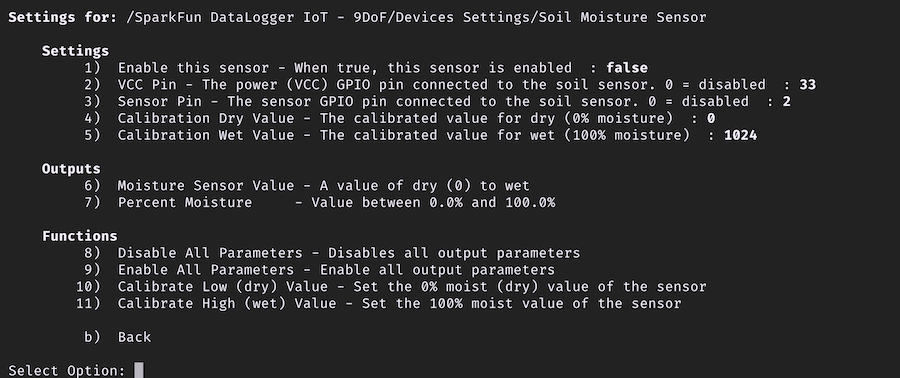
Settings
Enable this sensor
Used to enable the device.
VCC Pin
The datalogger GPIO pin used for VCC to the soil moisture sensor. The default is 33.
Sensor Pin
The GPIO Pin to use as the Sensor Pin - the default value is 2.
Calibration Dry Value
The sensor value that represents a "Dry" state (0%). The default value is 0.
Calibration Wet Value
The sensor value that represents a "Wet" state (100%). The default value is 1024.
Functions
Calibrate Low (dry) Value
Place the sensor in a dry state and then run this function. The driver will set the curret value as the "dry" calibration value.
Calibrate High (wet) Value
Place the sensor in a wet state and then run this function. The driver will set the curret value as the "wetl" calibration value.